Projects
El Dorado
El Dorado
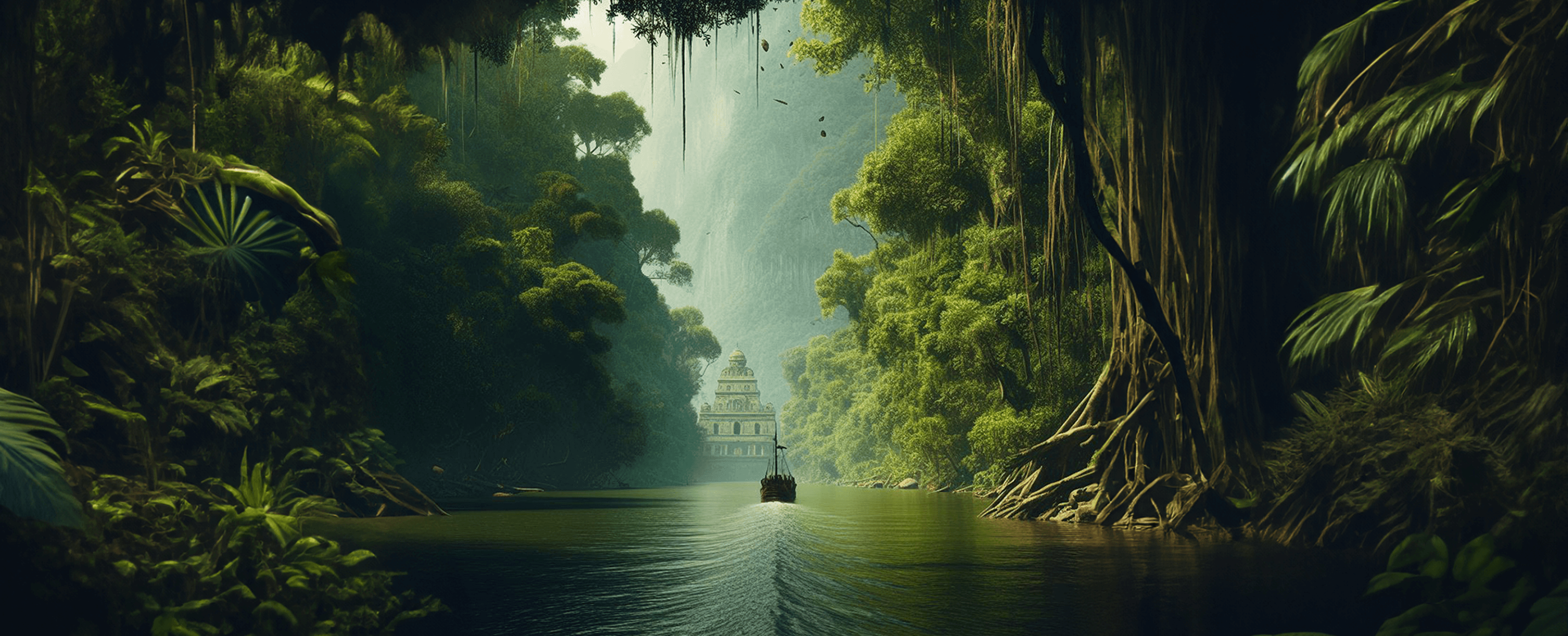
Bringing to life the legend of El Dorado; the story of the lost city of gold hidden deep in the Amazon. The site takes users on a narrative journey through vivid imagery, transitions and interactive elements that reveal more about the characters and the rainforest as the story unfolds. The experience is designed to tell the story visually and immersively, encouraging exploration while blending learning with creativity.
Bringing to life the legend of El Dorado; the story of the lost city of gold hidden deep in the Amazon. The site takes users on a narrative journey through vivid imagery, transitions and interactive elements that reveal more about the characters and the rainforest as the story unfolds. The experience is designed to tell the story visually and immersively, encouraging exploration while blending learning with creativity.
1. Research & Discovery
1. Research & Discovery
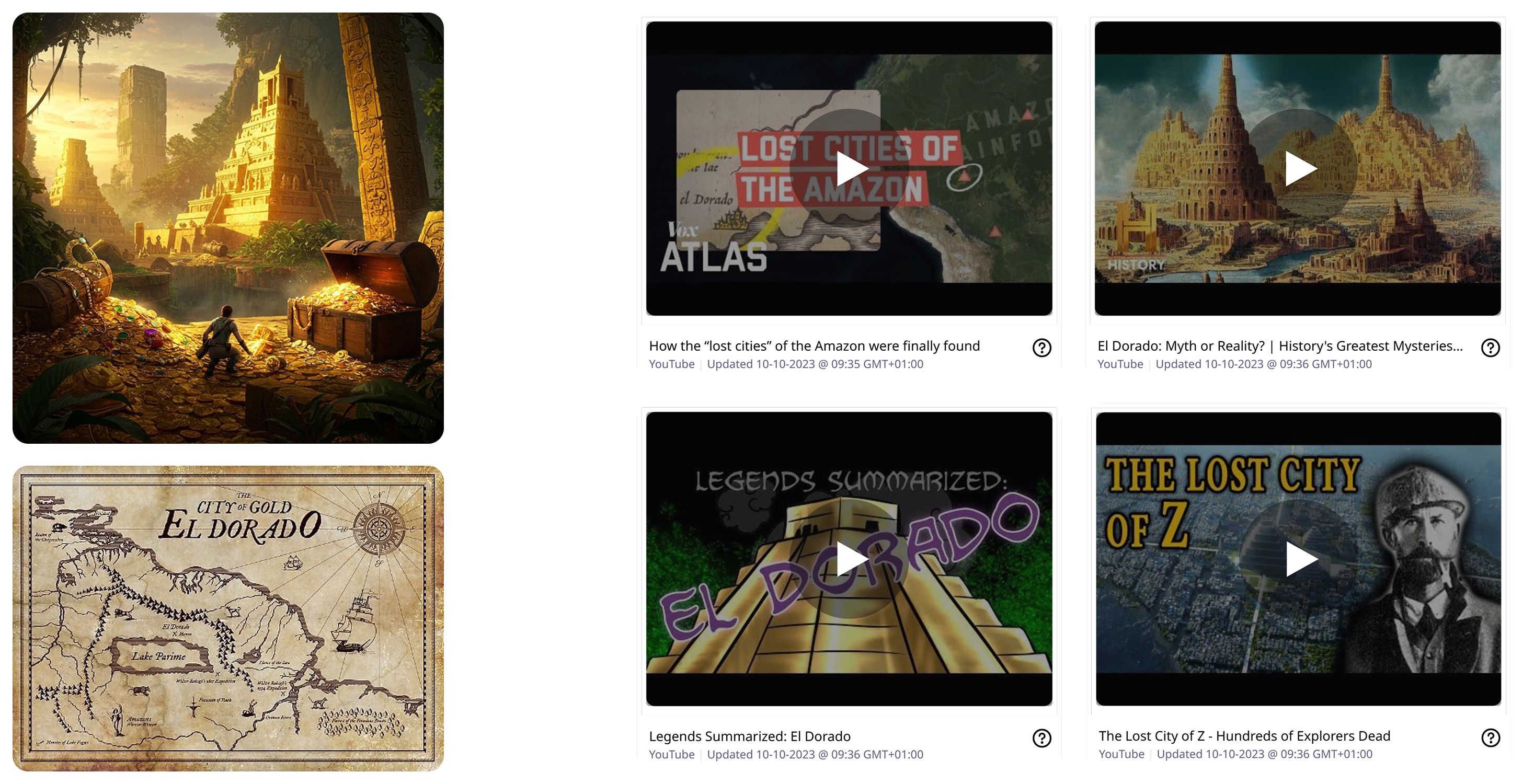
The first thing I wanted to do when starting this project was broaden my knowledge of the topic as much as possible. I researched reports of the story and watched videos on retellings of it from different ages and perspectives. As the story of El Dorado dates back decades, many tales have emerged from different explores, countries and quests. This research helped me decide on the narrative I wanted to portray.
The first thing I wanted to do when starting this project was broaden my knowledge of the topic as much as possible. I researched reports of the story and watched videos on retellings of it from different ages and perspectives. As the story of El Dorado dates back decades, many tales have emerged from different explores, countries and quests. This research helped me decide on the narrative I wanted to portray.
The first thing I wanted to do when starting this project was broaden my knowledge of the topic as much as possible. I researched reports of the story and watched videos on retellings of it from different ages and perspectives. As the story of El Dorado dates back decades, many tales have emerged from different explores, countries and quests. This research helped me decide on the narrative I wanted to portray.
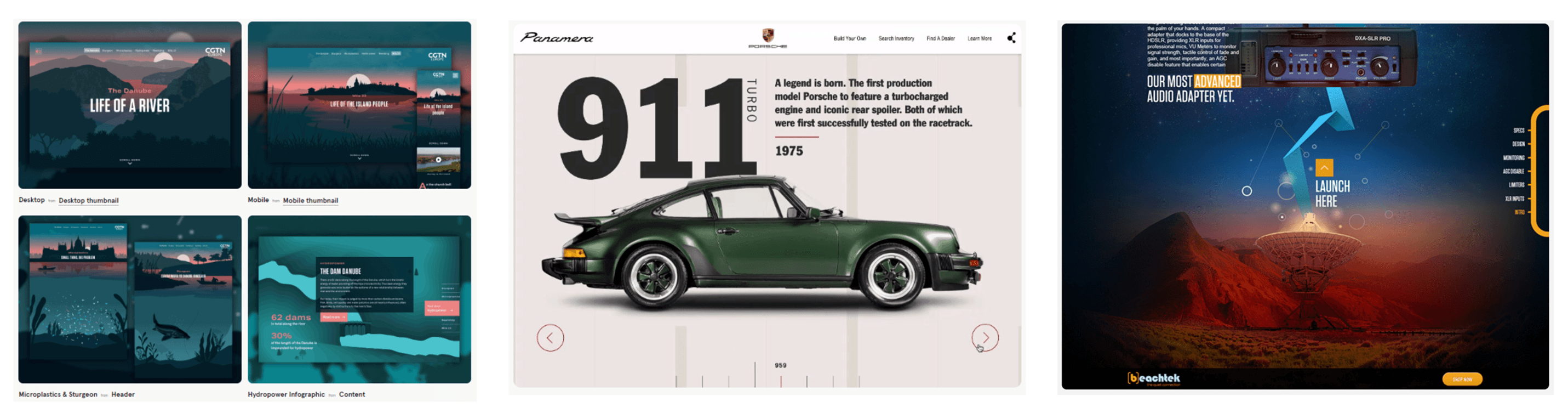
Next I looked for Design Inspiration. Microsites were new to me so I wanted to see successful ways of structuring them and how they displayed their visuals. As these sites were often primary all in one page I wanted to make scrolling seamlessly transition to the next part of the story whilst ensuring the user didn’t get bored. Bold and page filling imagery seemed to be a common feature I would try and implement.
Next I looked for Design Inspiration. Microsites were new to me so I wanted to see successful ways of structuring them and how they displayed their visuals. As these sites were often primary all in one page I wanted to make scrolling seamlessly transition to the next part of the story whilst ensuring the user didn’t get bored. Bold and page filling imagery seemed to be a common feature I would try and implement.
Next I looked for Design Inspiration. Microsites were new to me so I wanted to see successful ways of structuring them and how they displayed their visuals. As these sites were often primary all in one page I wanted to make scrolling seamlessly transition to the next part of the story whilst ensuring the user didn’t get bored. Bold and page filling imagery seemed to be a common feature I would try and implement.
2. Ideation & Process
2. Ideation & Process
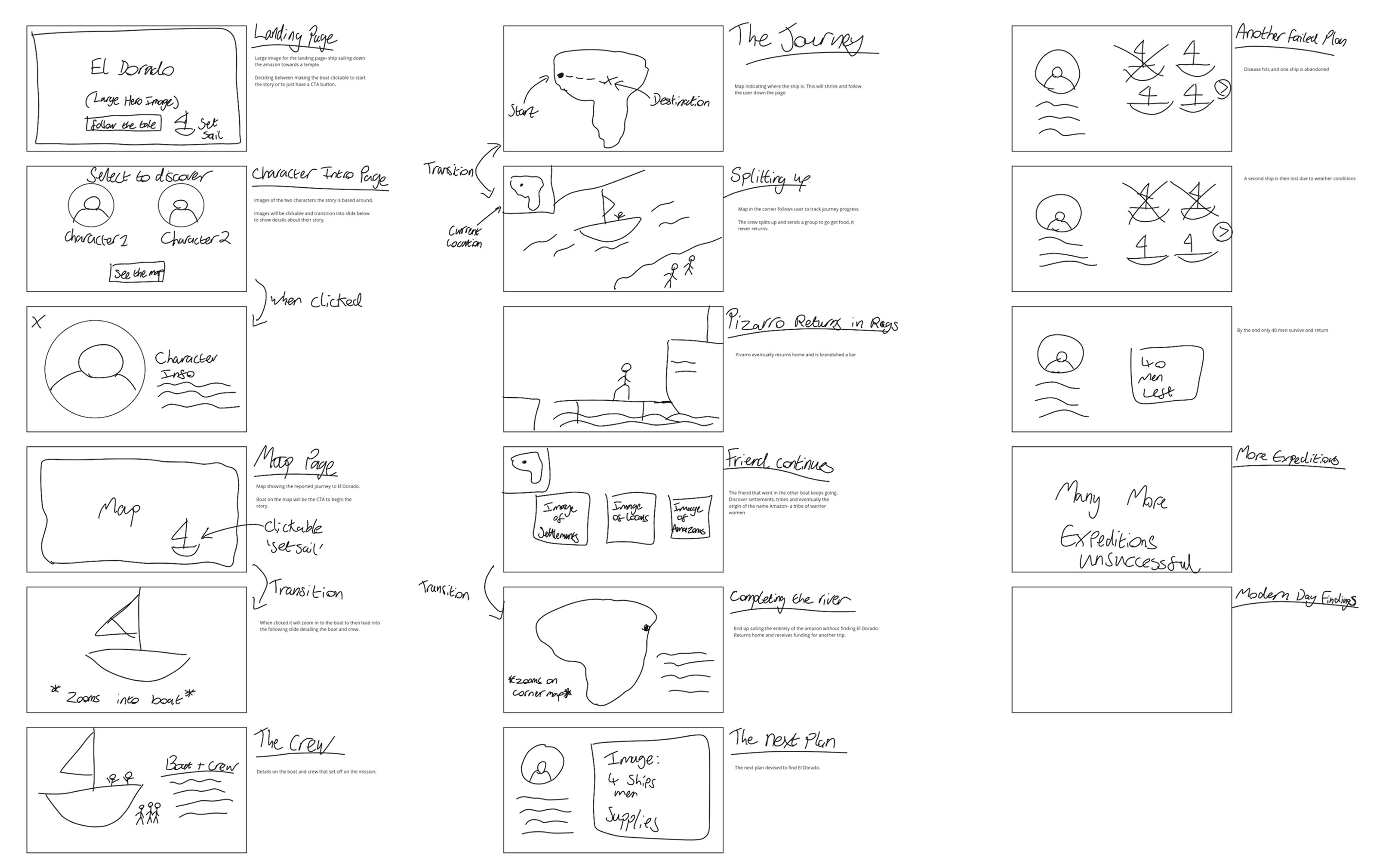
After deciding on my chosen narrative I began Storyboarding and Script Writing. This is where I started to visualise interactive elements and how I would try and take the user on the journey through the site. Laying out the whole story visually helped me decide on what sort of images and transitions I would need, and where I would need them.
After deciding on my chosen narrative I began Storyboarding and Script Writing. This is where I started to visualise interactive elements and how I would try and take the user on the journey through the site. Laying out the whole story visually helped me decide on what sort of images and transitions I would need, and where I would need them.
After deciding on my chosen narrative I began Storyboarding and Script Writing. This is where I started to visualise interactive elements and how I would try and take the user on the journey through the site. Laying out the whole story visually helped me decide on what sort of images and transitions I would need, and where I would need them.
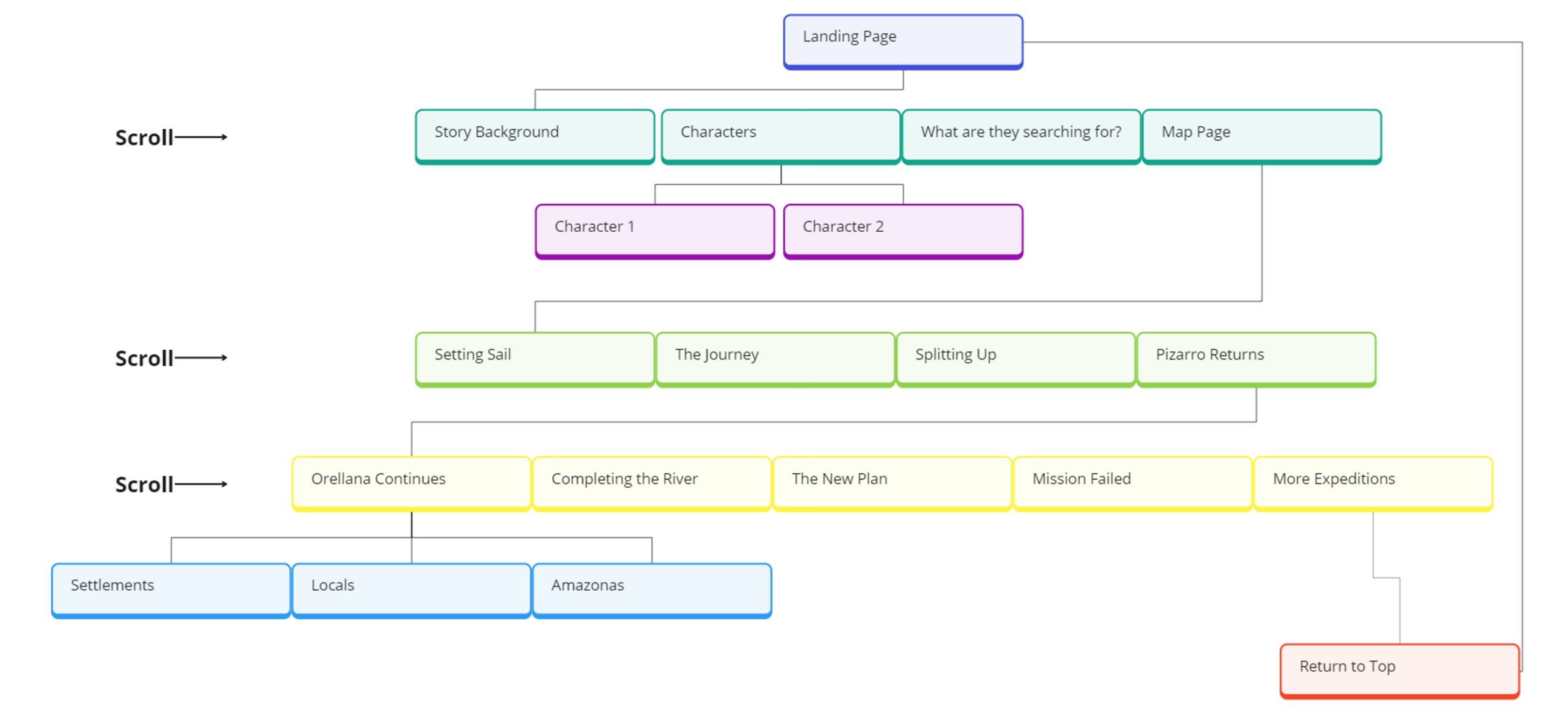
A Site Map and User Flow helped me to more deliberately plan the structure of the site. Having this planned out before designing gave me a constant reference point and ensured I didn’t miss any part of the story.
A Site Map and User Flow helped me to more deliberately plan the structure of the site. Having this planned out before designing gave me a constant reference point and ensured I didn’t miss any part of the story.
A Site Map and User Flow helped me to more deliberately plan the structure of the site. Having this planned out before designing gave me a constant reference point and ensured I didn’t miss any part of the story.
3. Design Stage
3. Design Stage
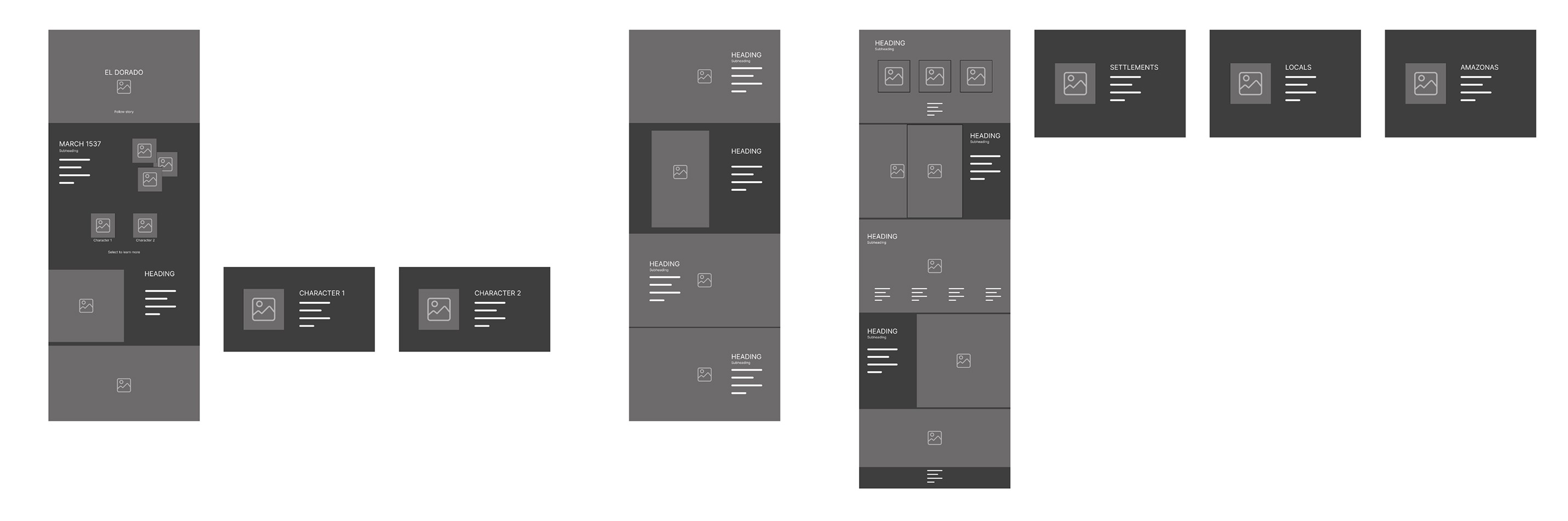
When crafting my Low Fidelity Designs I wanted to make sure the site wasn’t a monotonous scroll of full page image after full page image. I tried to find as many avenues to include transitions and interactive elements without making it too much work for the user.
When crafting my Low Fidelity Designs I wanted to make sure the site wasn’t a monotonous scroll of full page image after full page image. I tried to find as many avenues to include transitions and interactive elements without making it too much work for the user.
When crafting my Low Fidelity Designs I wanted to make sure the site wasn’t a monotonous scroll of full page image after full page image. I tried to find as many avenues to include transitions and interactive elements without making it too much work for the user.
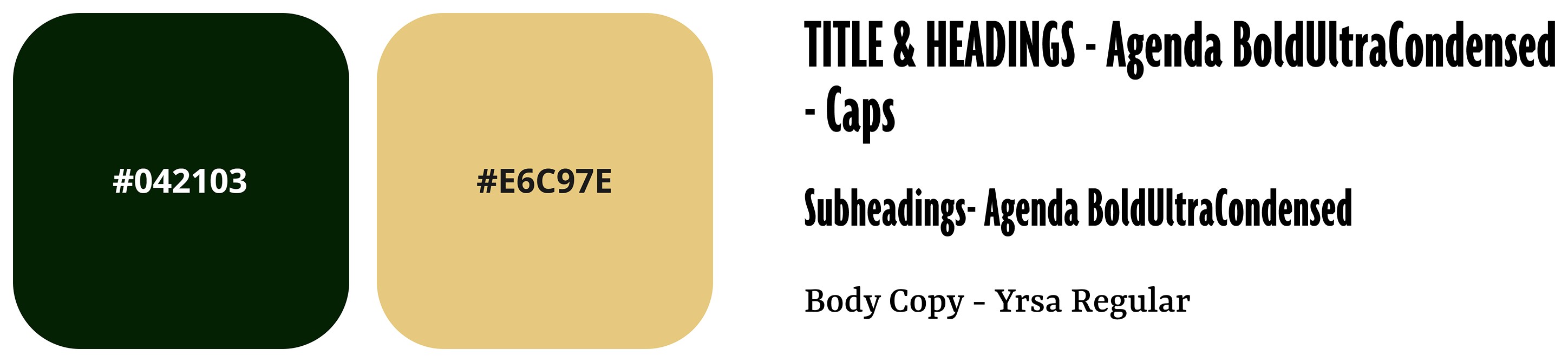
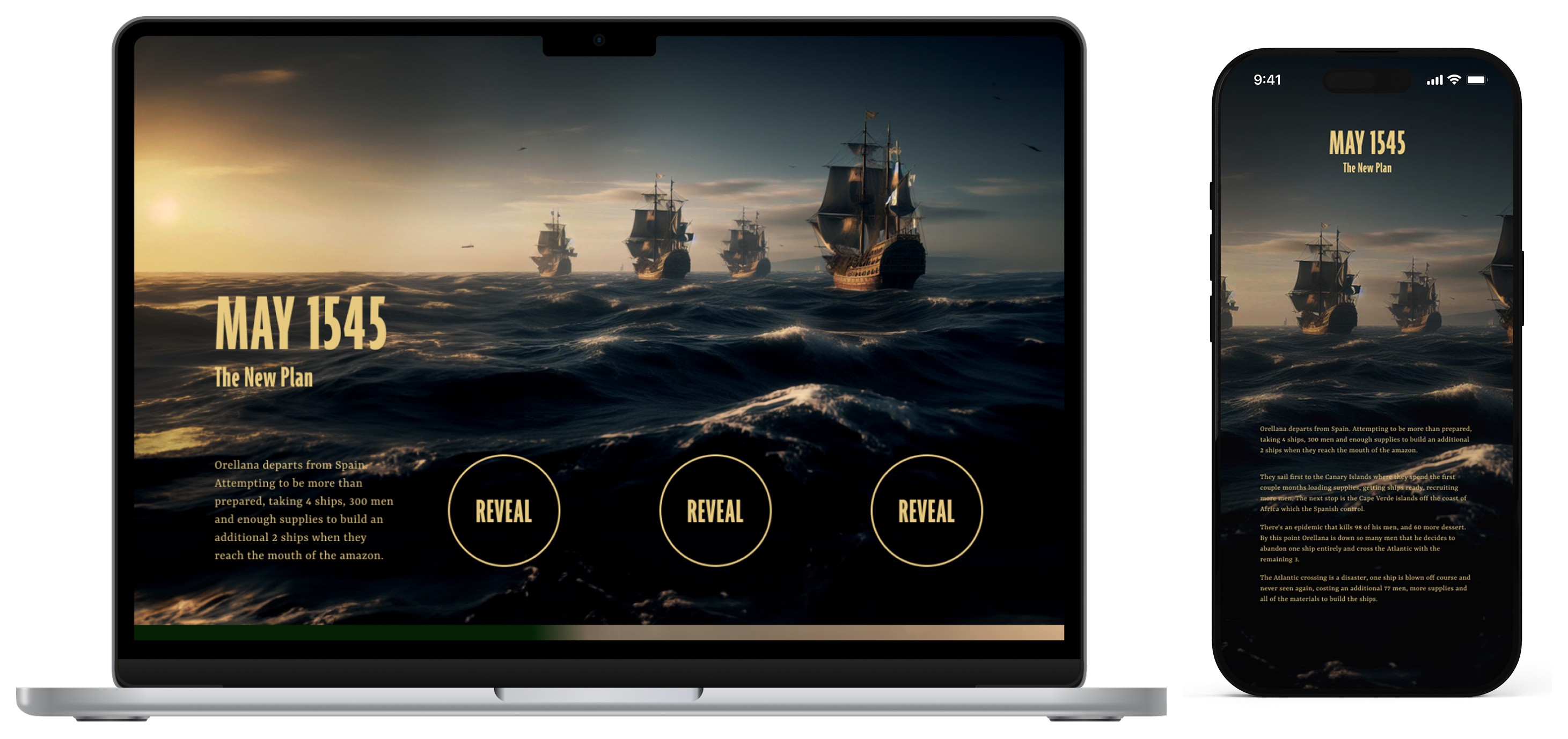
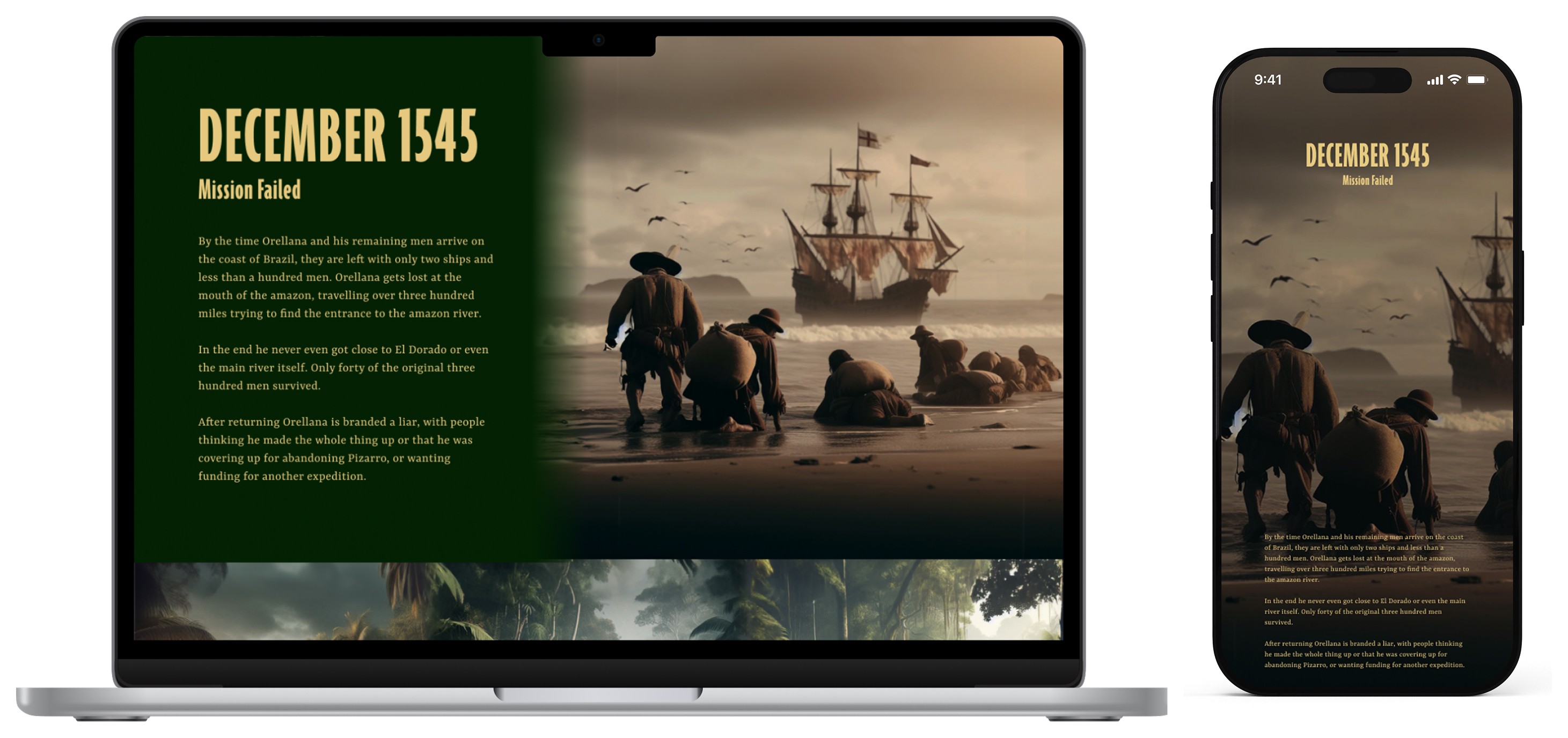
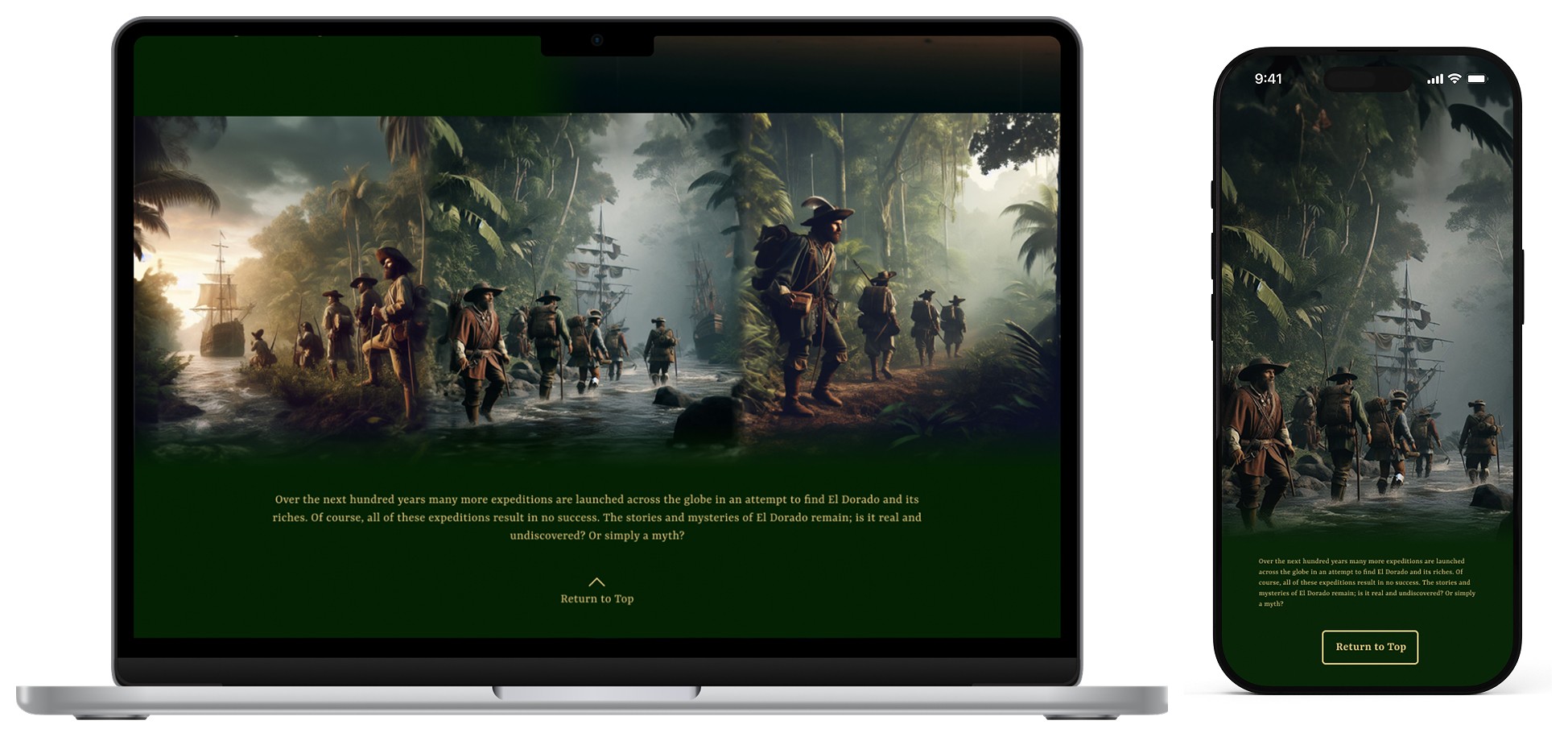
I wanted my sites’ Colour Scheme and Fonts to match the theme of the story. I chose earthy colours to match that of the rainforest and a yellowish colour for my font to seem like aged parchment paper. I used a bolder font for my headings to act like timestamps and complimented it with a slightly more handwritten feel to the body copy to make it seem similar to a journal or documentation of the story.
I wanted my sites’ Colour Scheme and Fonts to match the theme of the story. I chose earthy colours to match that of the rainforest and a yellowish colour for my font to seem like aged parchment paper. I used a bolder font for my headings to act like timestamps and complimented it with a slightly more handwritten feel to the body copy to make it seem similar to a journal or documentation of the story.
I wanted my sites’ Colour Scheme and Fonts to match the theme of the story. I chose earthy colours to match that of the rainforest and a yellowish colour for my font to seem like aged parchment paper. I used a bolder font for my headings to act like timestamps and complimented it with a slightly more handwritten feel to the body copy to make it seem similar to a journal or documentation of the story.
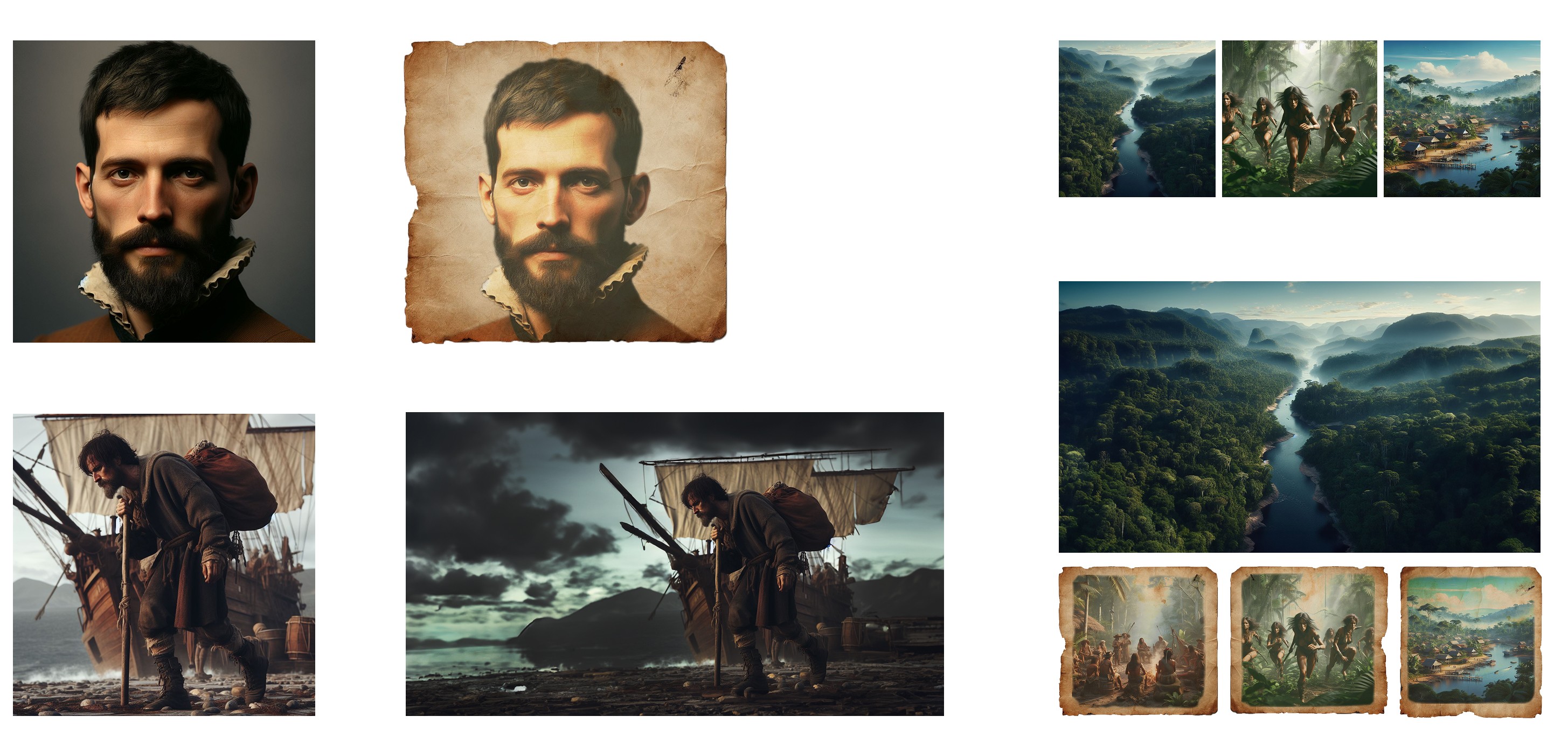
As the story of El Dorado is so old, there is little photographic evidence of it besides artifacts and stories. So to portray this story I combined Photoshop with AI. I did this to create the protagonists of the story amongst other characters and make a consistent story of imagery from beginning to end. I felt this helped give viewers a grip of the tale and make it more interesting to follow. Above you can see first what the AI made with my prompt accompanied by how it ended up looking after my Photoshop editing.
As the story of El Dorado is so old, there is little photographic evidence of it besides artifacts and stories. So to portray this story I combined Photoshop with AI. I did this to create the protagonists of the story amongst other characters and make a consistent story of imagery from beginning to end. I felt this helped give viewers a grip of the tale and make it more interesting to follow. Above you can see first what the AI made with my prompt accompanied by how it ended up looking after my Photoshop editing.
As the story of El Dorado is so old, there is little photographic evidence of it besides artifacts and stories. So to portray this story I combined Photoshop with AI. I did this to create the protagonists of the story amongst other characters and make a consistent story of imagery from beginning to end. I felt this helped give viewers a grip of the tale and make it more interesting to follow. Above you can see first what the AI made with my prompt accompanied by how it ended up looking after my Photoshop editing.
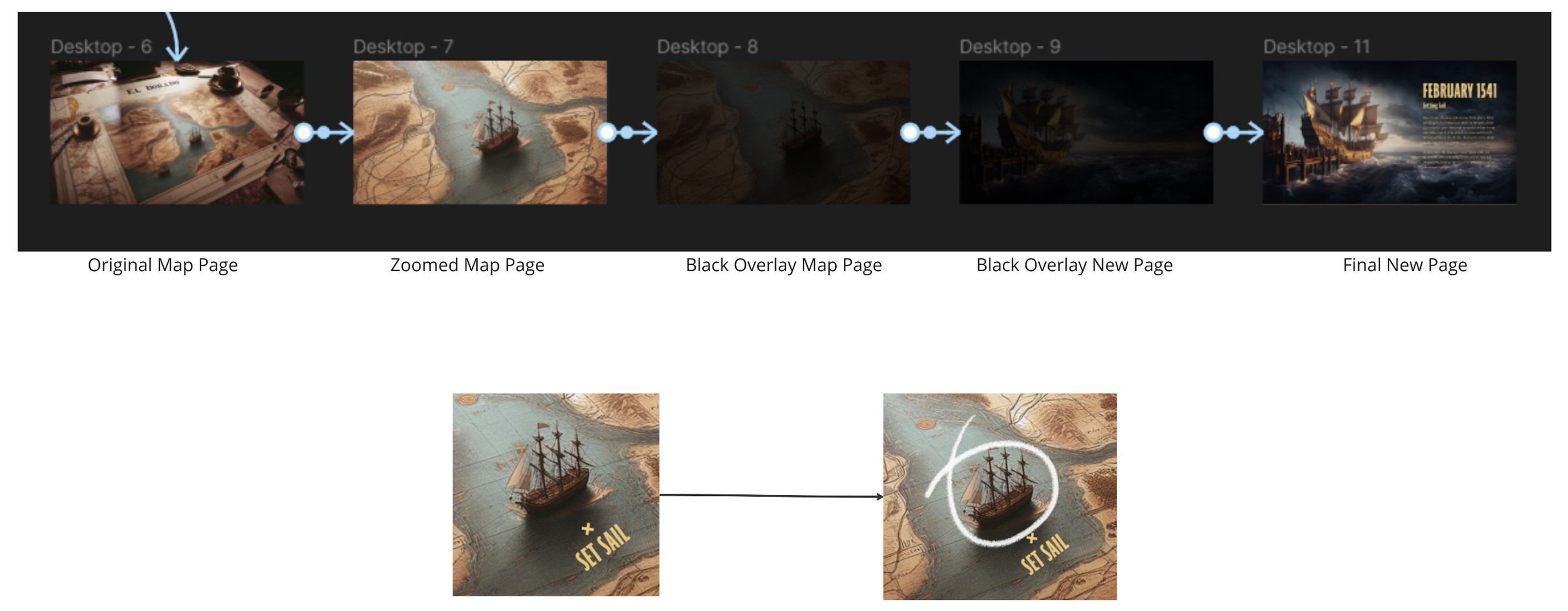
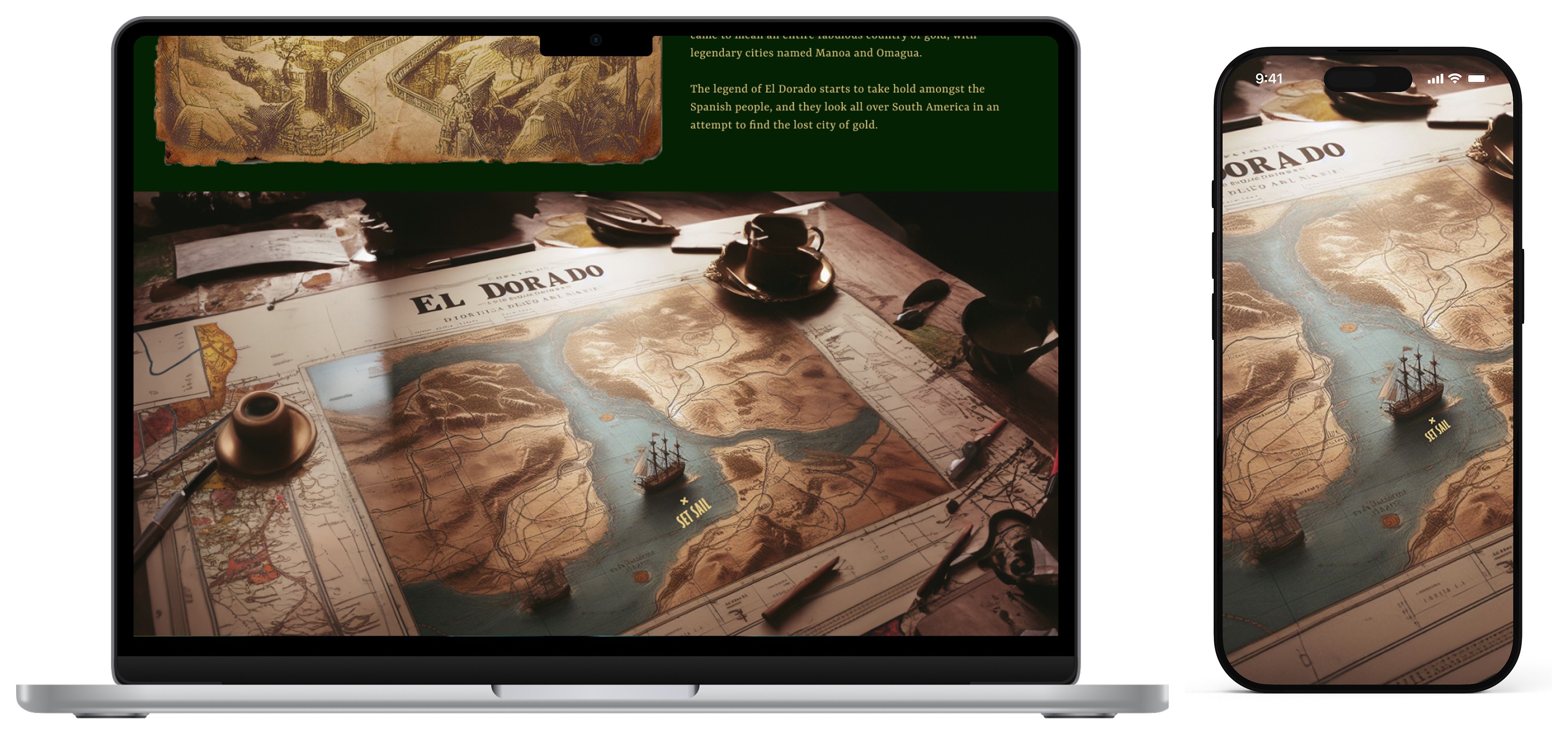
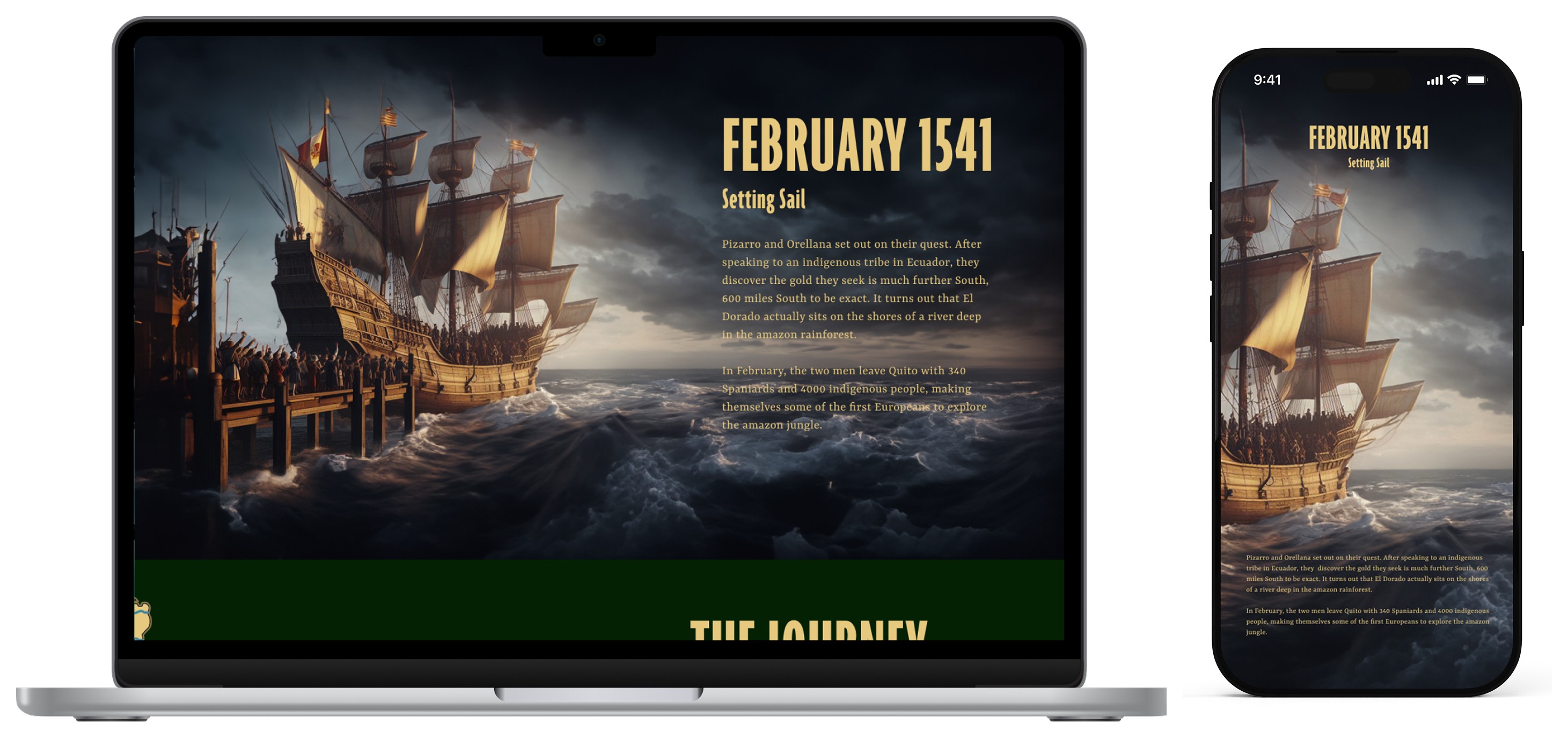
Transitions and Interactions helped to break up the scrolling for the user. I wanted the user to feel involved in the story and journey so adding these features gave them more to do than just scroll. It also helped to connect parts of the story together. The image above shows the transition of the ship on the map becoming the actual ship as the crew prepares to set sail.
Transitions and Interactions helped to break up the scrolling for the user. I wanted the user to feel involved in the story and journey so adding these features gave them more to do than just scroll. It also helped to connect parts of the story together. The image above shows the transition of the ship on the map becoming the actual ship as the crew prepares to set sail.
Transitions and Interactions helped to break up the scrolling for the user. I wanted the user to feel involved in the story and journey so adding these features gave them more to do than just scroll. It also helped to connect parts of the story together. The image above shows the transition of the ship on the map becoming the actual ship as the crew prepares to set sail.
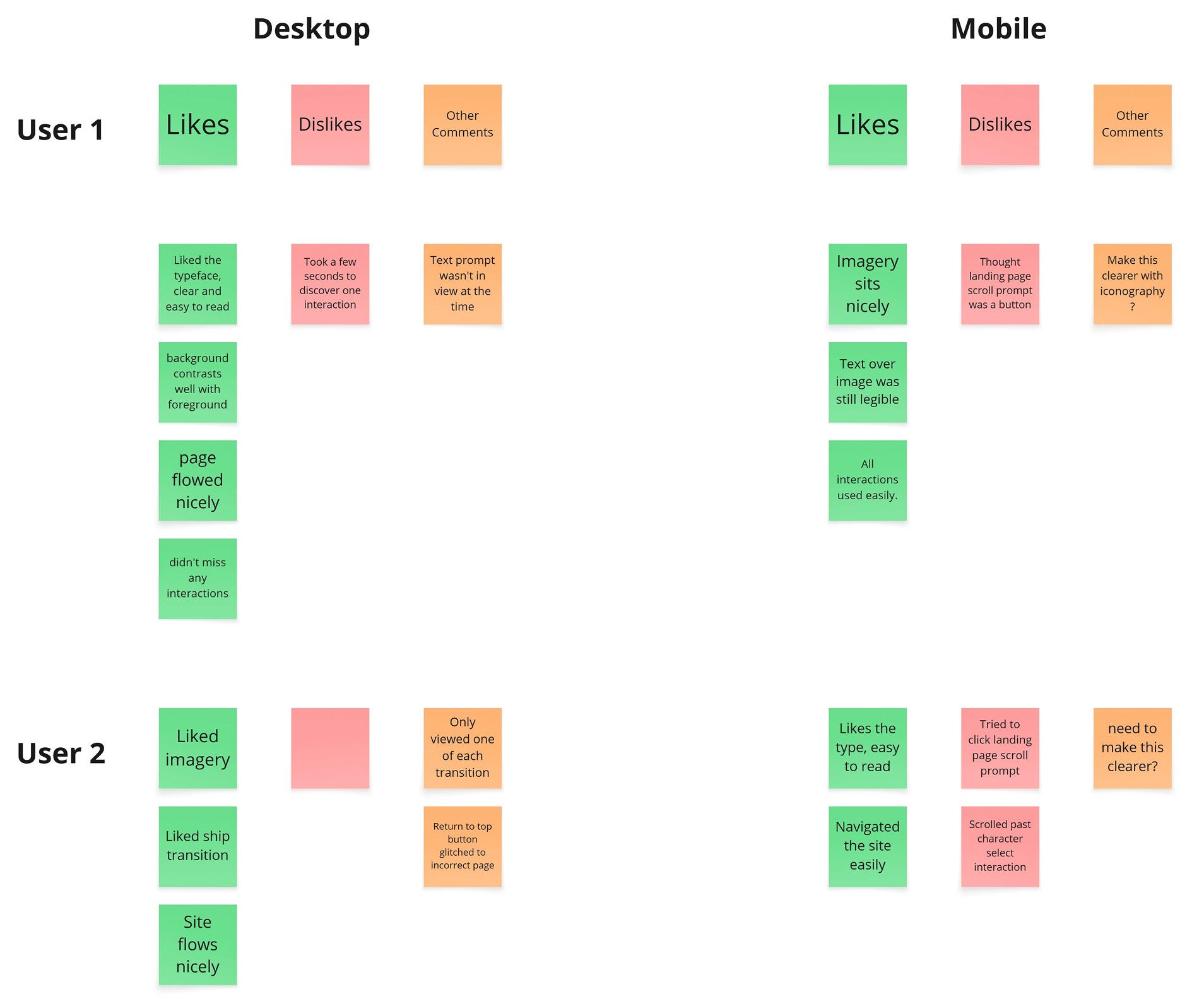
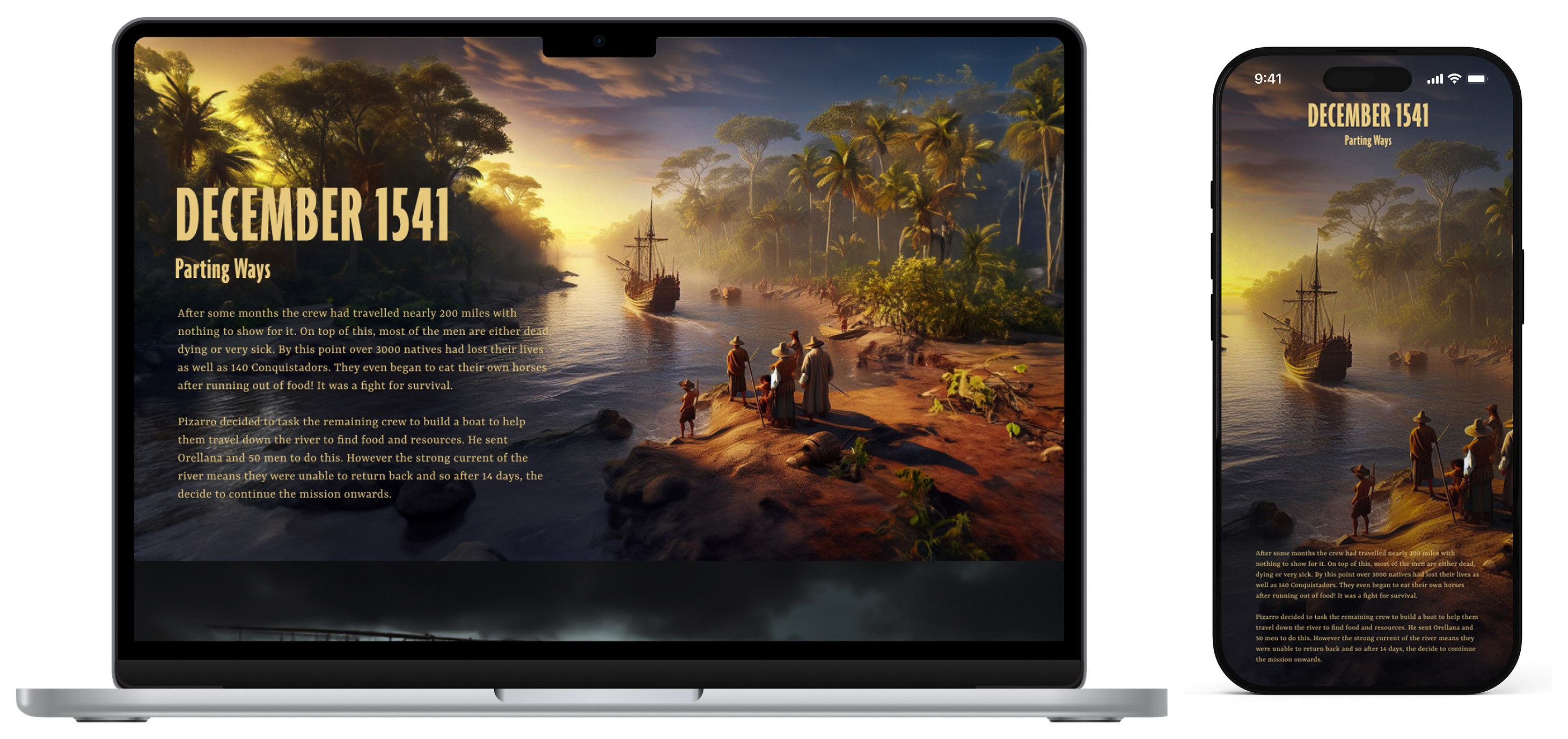
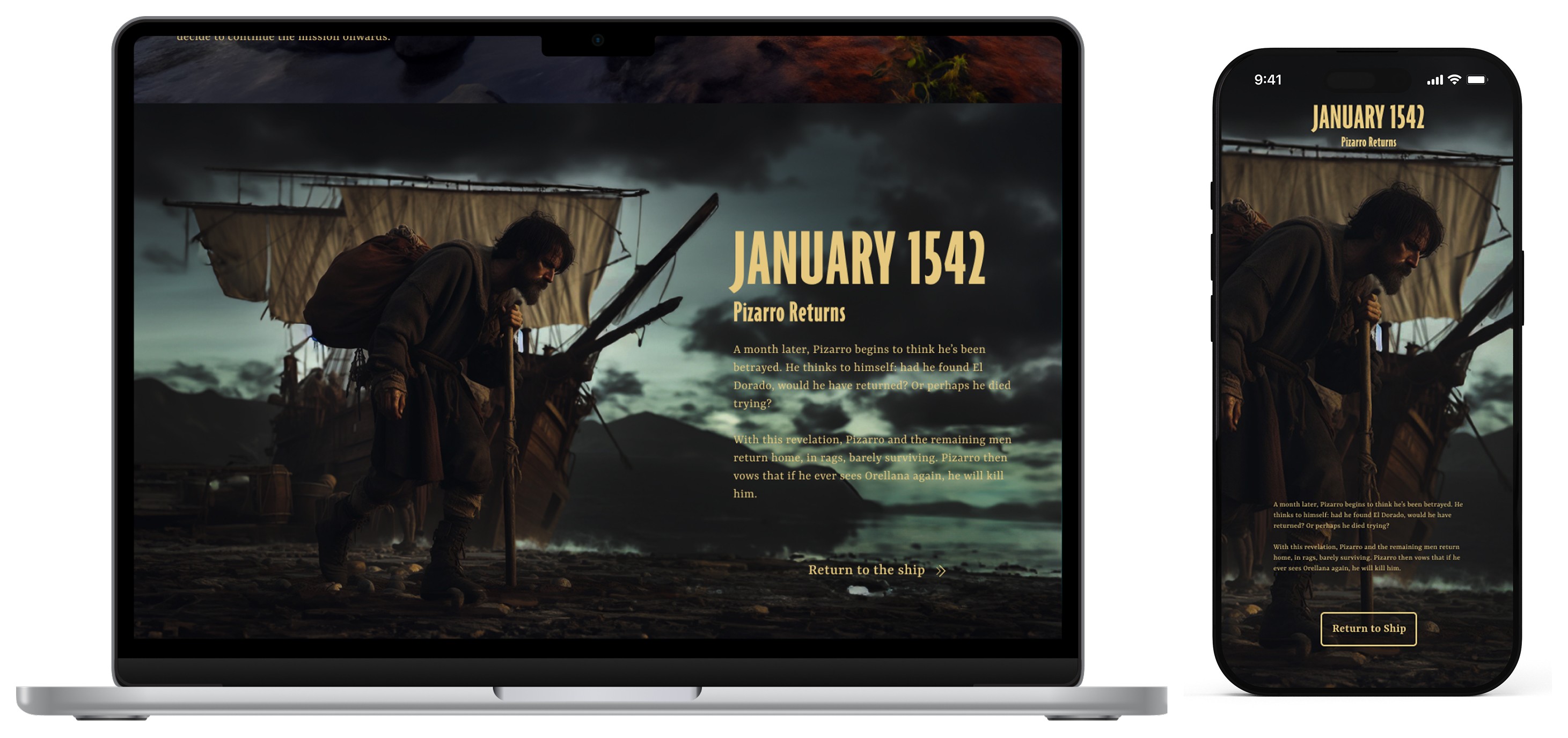
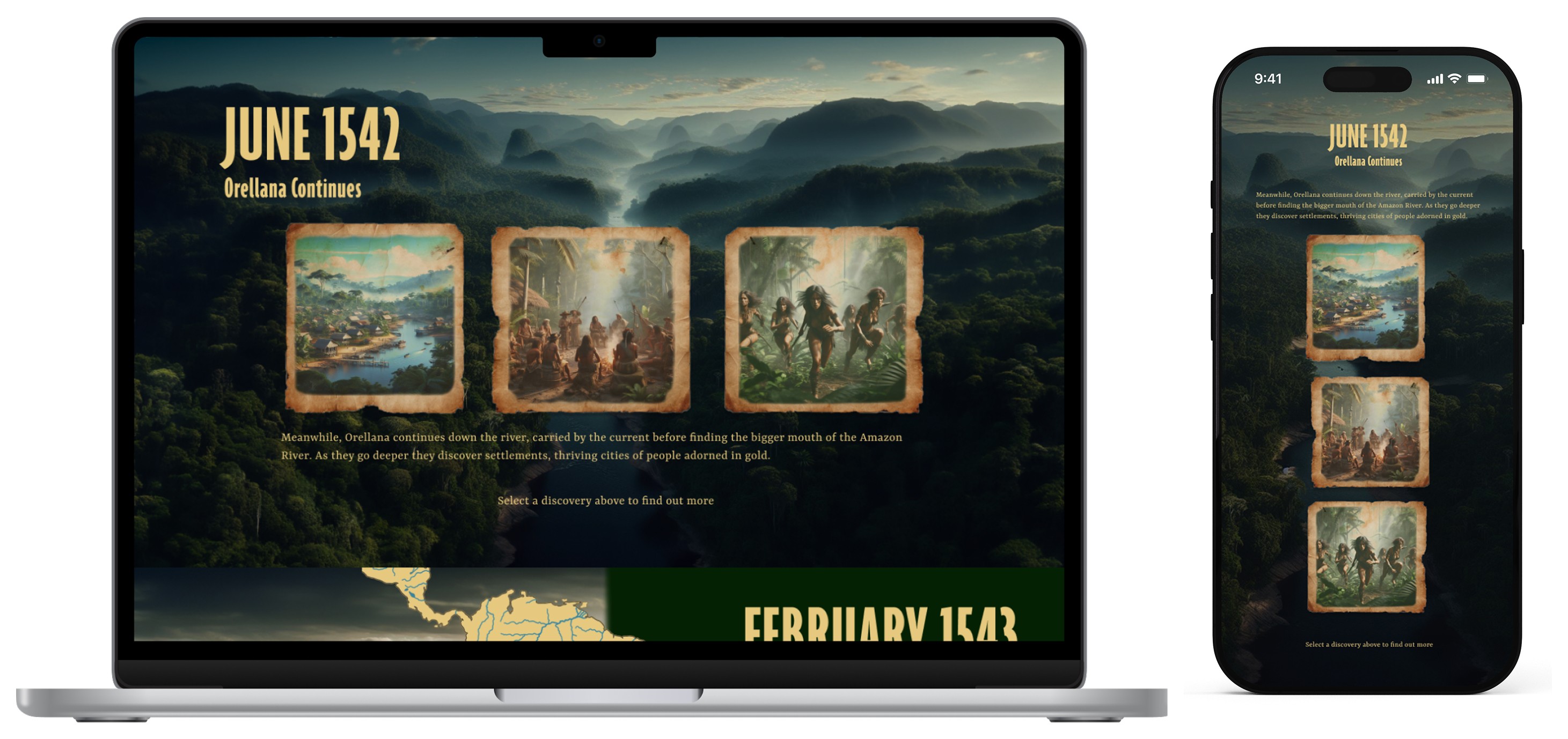
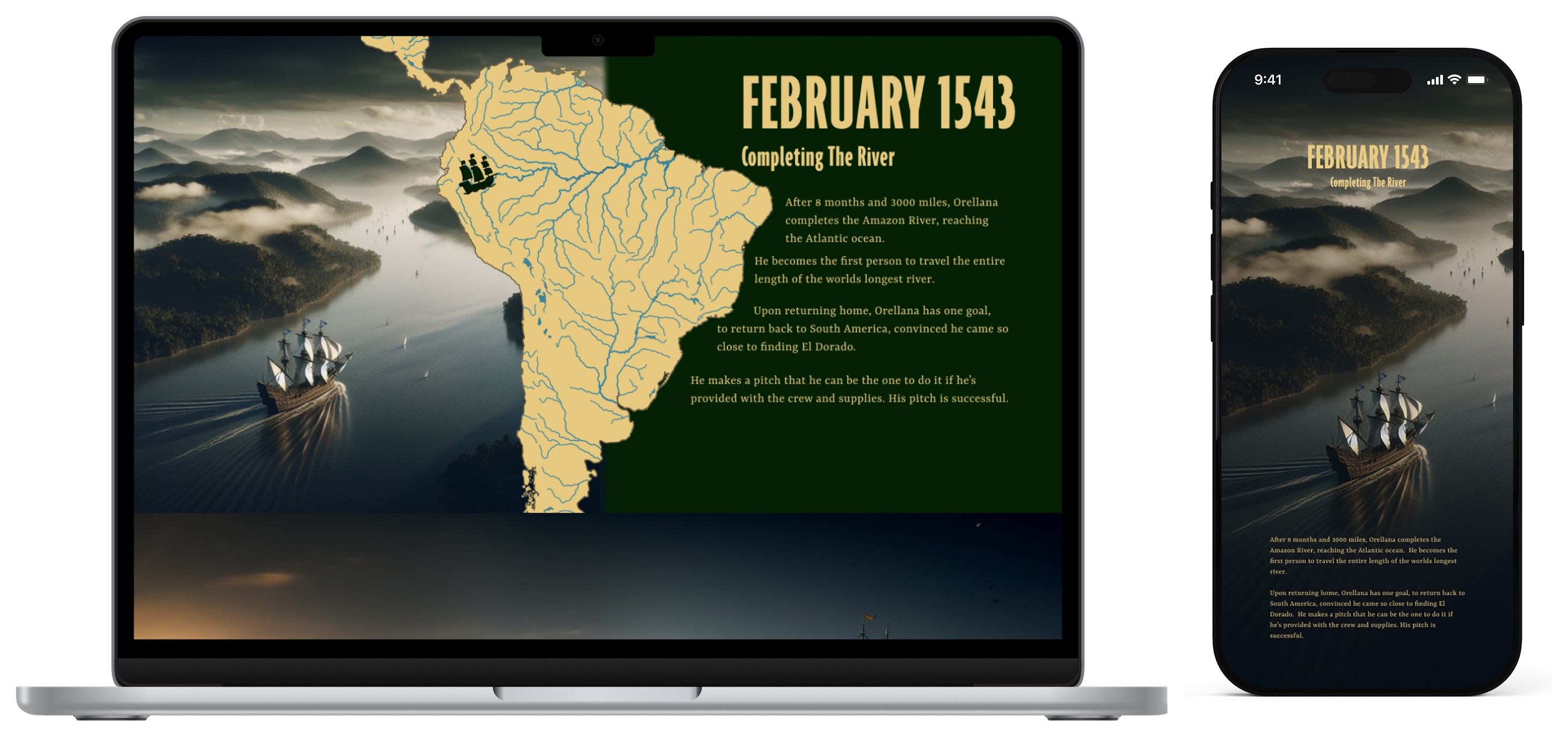
After creating high fidelity designs I asked people to User Test the site. This provided me useful information on what my microsite was doing well, and where I could make tweaks to improve it. Ensuring interactions had clear prompts to interact with them was the main outcome of these tests and I tried to make this a success in the final design.
After creating high fidelity designs I asked people to User Test the site. This provided me useful information on what my microsite was doing well, and where I could make tweaks to improve it. Ensuring interactions had clear prompts to interact with them was the main outcome of these tests and I tried to make this a success in the final design.
After creating high fidelity designs I asked people to User Test the site. This provided me useful information on what my microsite was doing well, and where I could make tweaks to improve it. Ensuring interactions had clear prompts to interact with them was the main outcome of these tests and I tried to make this a success in the final design.
4. Final Designs
4. Final Designs
Reflection
Reflection
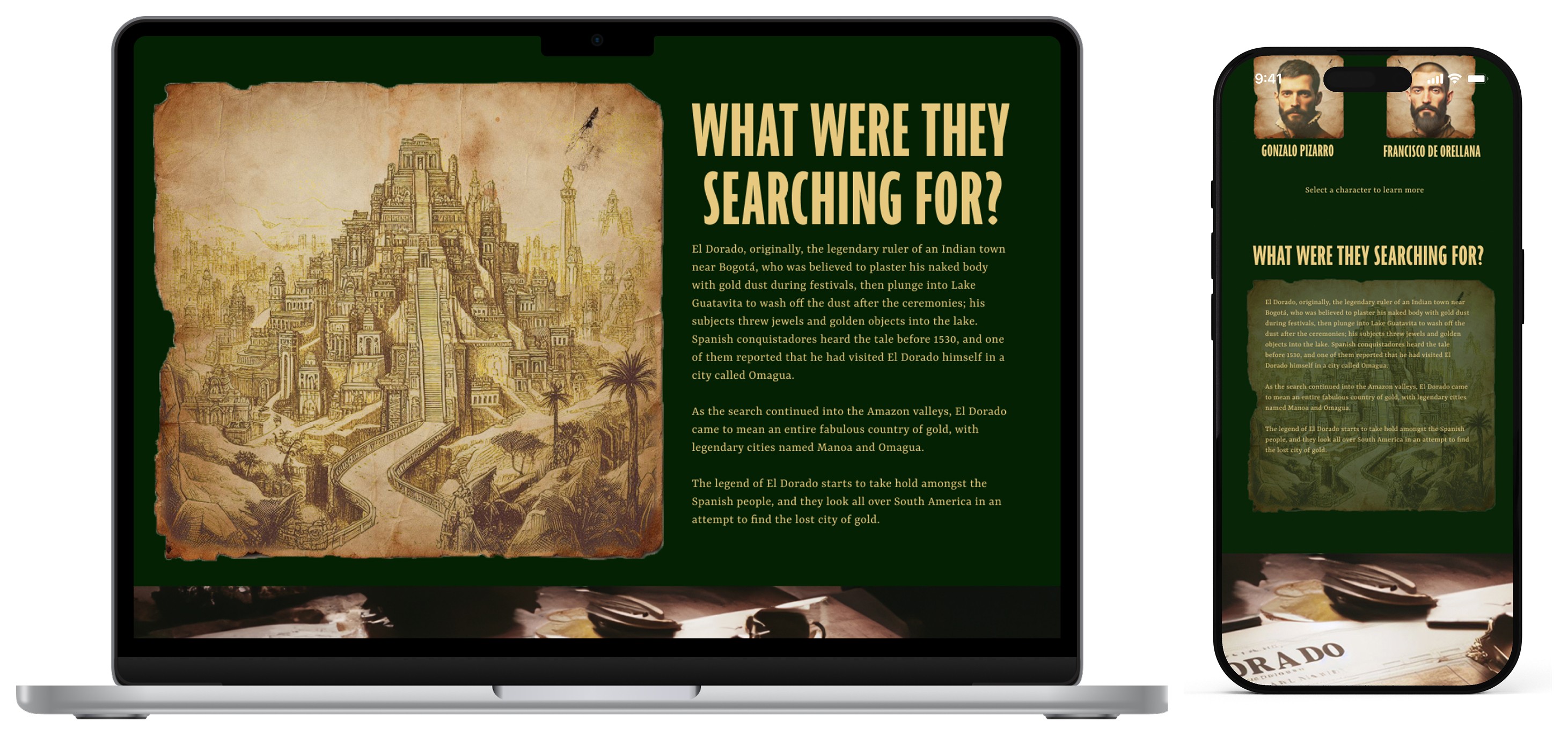
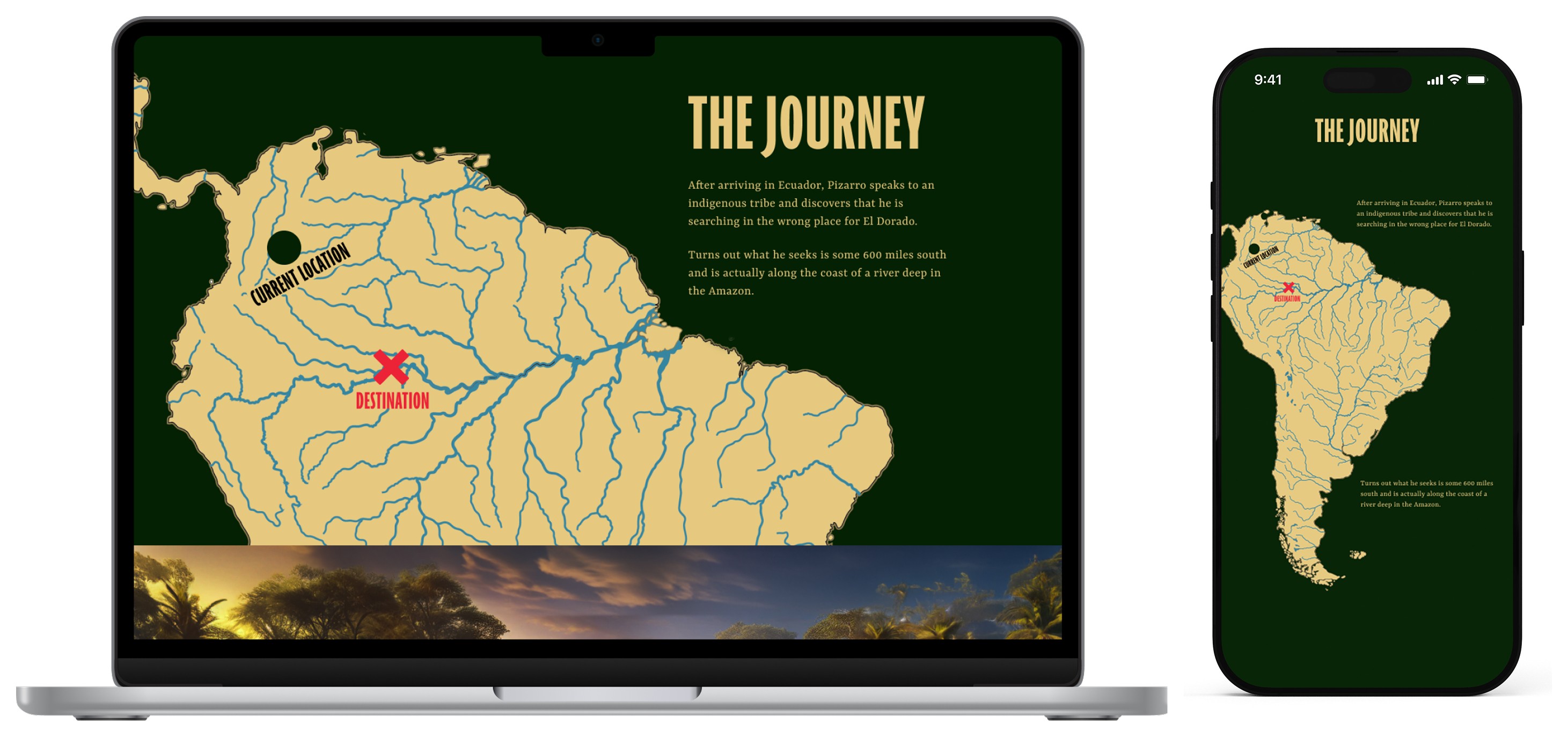
I really enjoyed crafting the story of this project and believe the quality and consistency of the imagery carries its narrative well. If I was to do this microsite over again I think I would attempt to add more inventive interactions to help keep the user engaged so that less copy was needed at each chapter. I also think I would try and make some of the text more legible, especially in the mobile version. Given more time I would have also altered the visuals of the map sections as I feel these sometimes contrasted too much to the images they were overlaying.
I really enjoyed crafting the story of this project and believe the quality and consistency of the imagery carries its narrative well. If I was to do this microsite over again I think I would attempt to add more inventive interactions to help keep the user engaged so that less copy was needed at each chapter. I also think I would try and make some of the text more legible, especially in the mobile version. Given more time I would have also altered the visuals of the map sections as I feel these sometimes contrasted too much to the images they were overlaying.